Stop losing production knowledge when people leave
StepLinq turns tribal knowledge into visual, step-by-step work instructions. Offline desktop software — documented in hours, not weeks.
- No cloud
- Perpetual license available
- Your data stays local
Built by a production manager for production managers
Built by a production manager with 10+ years in automotive tooling, pharma equipment, and precision electronics.
Knowledge locked in people's heads
- Assembly steps exist only in experienced workers' heads
- New hires take weeks to become productive
- Quality errors repeat because there's no standard reference
- Auditors ask for documented procedures that don't exist
Documented, visual, accessible
- Capture every step with photos, once — reuse forever
- New operators follow visual guides from day one
- Digital sign-off workflow catches deviations before they ship
- Export ISO-ready PDF documentation at any time
Draft → In Review → Approved → Published → Floor.
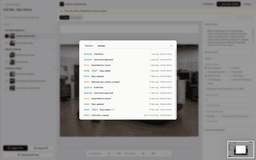
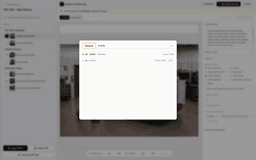
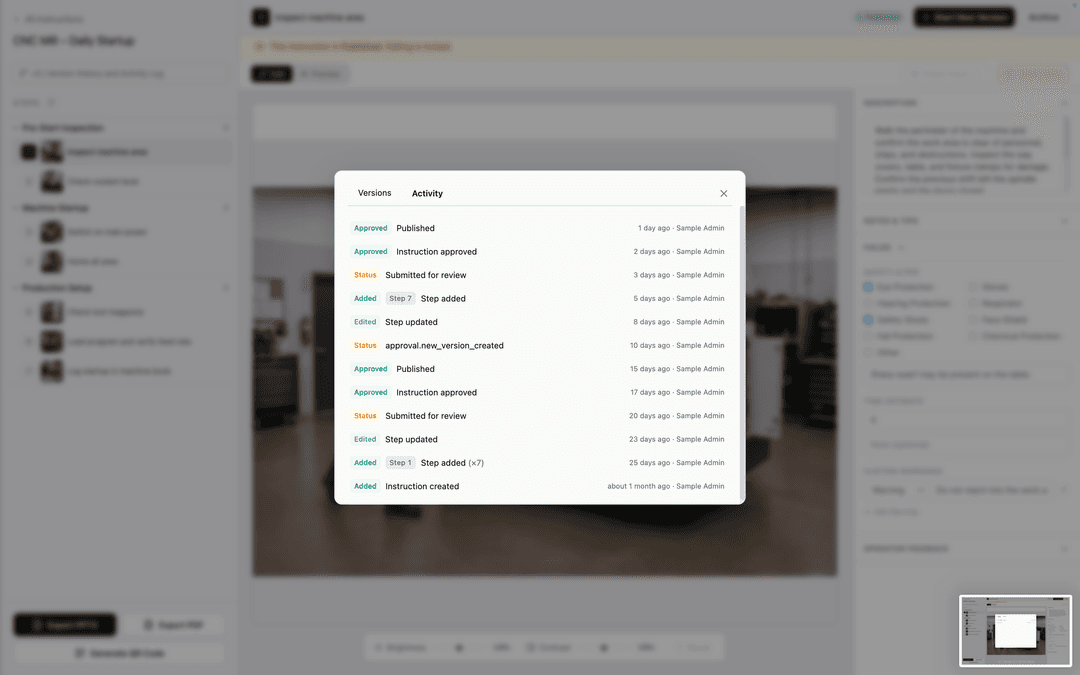
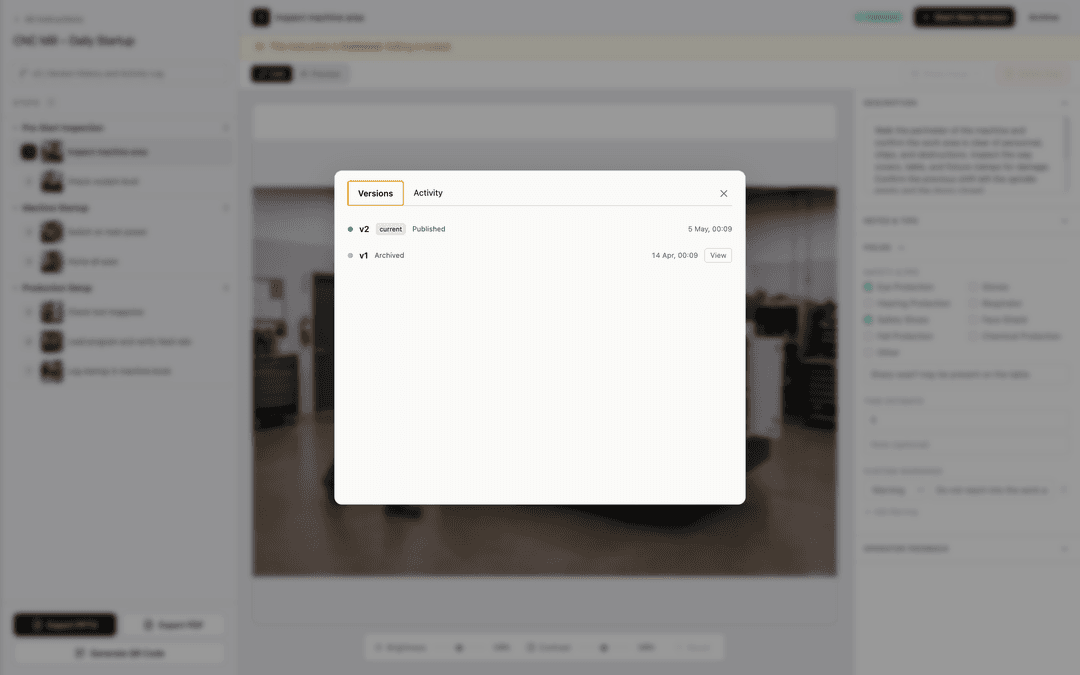
StepLinq enforces a documented approval workflow. Every state change is logged. Published versions are frozen. Earlier versions stay traceable forever.
Draft
Engineer
Author is building. Visible only inside the editor. Cannot reach the floor.
In Review
QA Reviewer
Locked for edits. QA leaves step-level comments that must be resolved.
Approved
QA Manager
Version is frozen. Engineer cannot change a single field without forking a new draft.
Published
Production
Replaces the prior version on every Viewer. Operators see it within seconds.
On floor
Operator
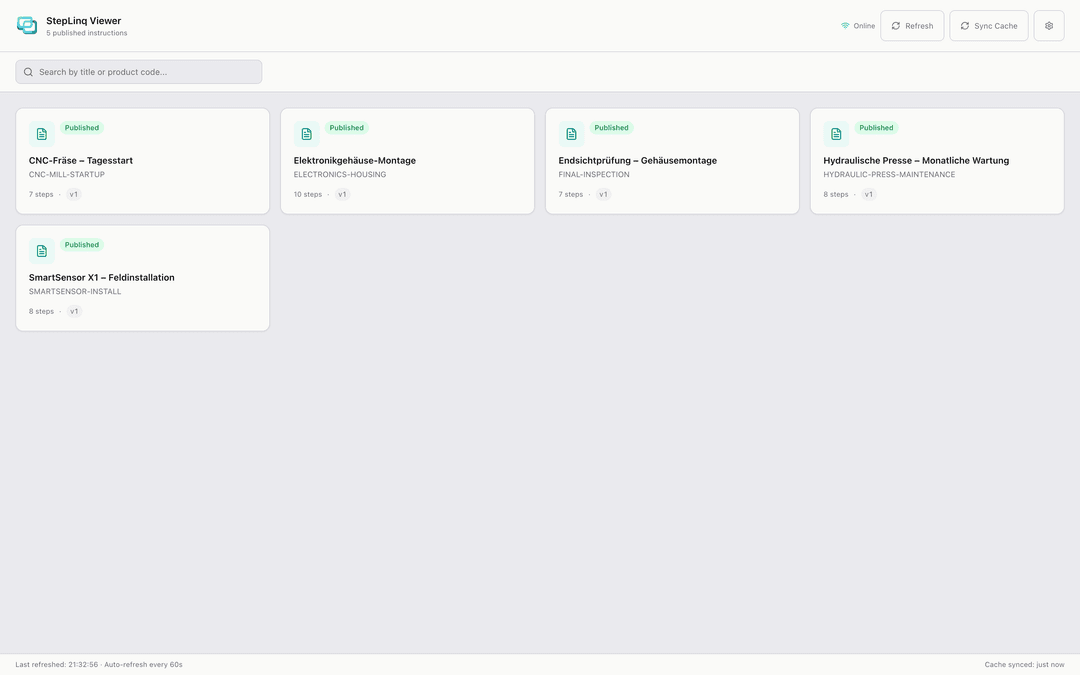
Viewer app on floor workstations. Windows only, read-only. Operator feedback flows back.
Draft
Engineer
Author is building. Visible only inside the editor. Cannot reach the floor.
In Review
QA Reviewer
Locked for edits. QA leaves step-level comments that must be resolved.
Approved
QA Manager
Version is frozen. Engineer cannot change a single field without forking a new draft.
Published
Production
Replaces the prior version on every Viewer. Operators see it within seconds.
On floor
Operator
Viewer app on floor workstations. Windows only, read-only. Operator feedback flows back.
Everything your team needs
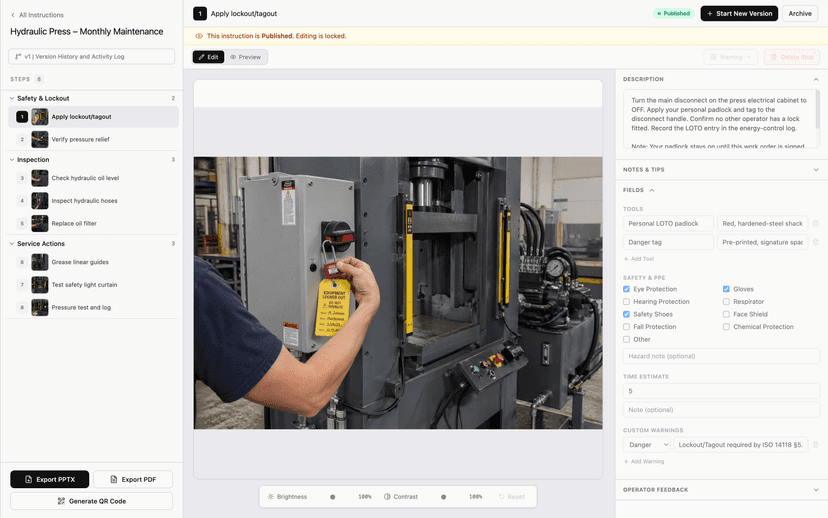
Step Editor
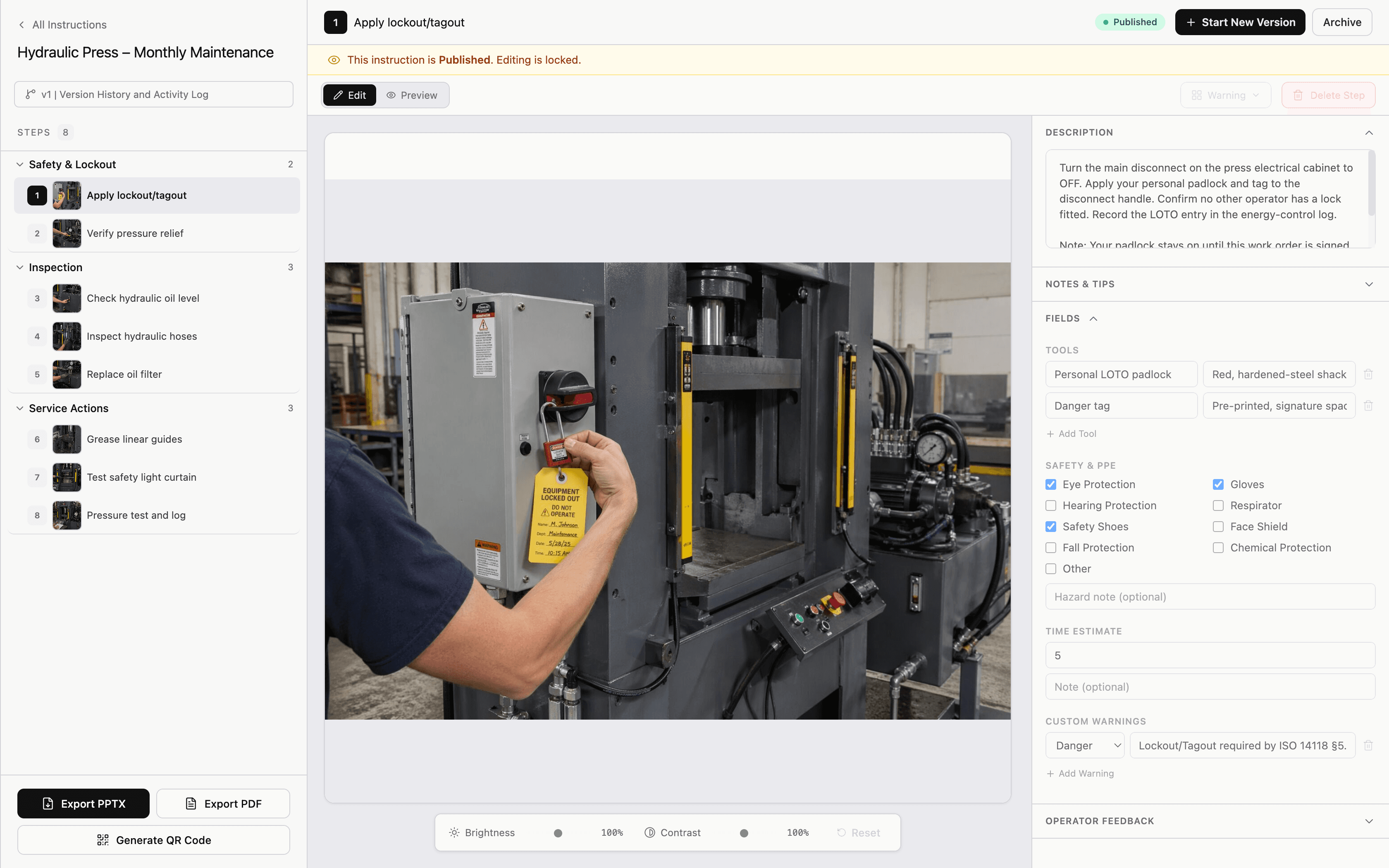
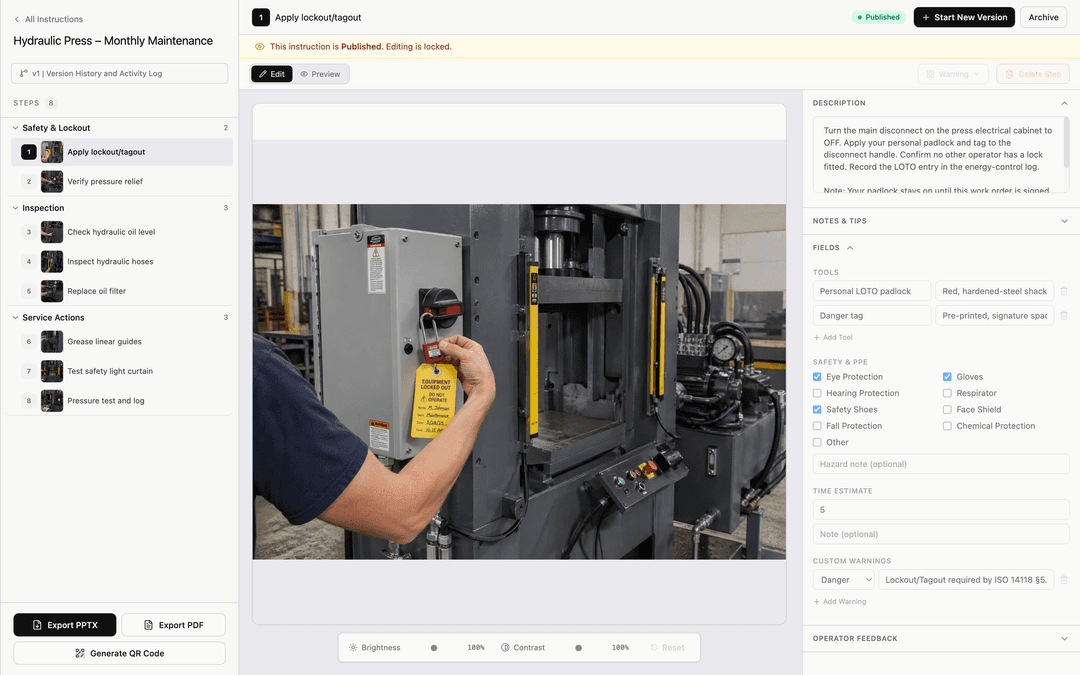
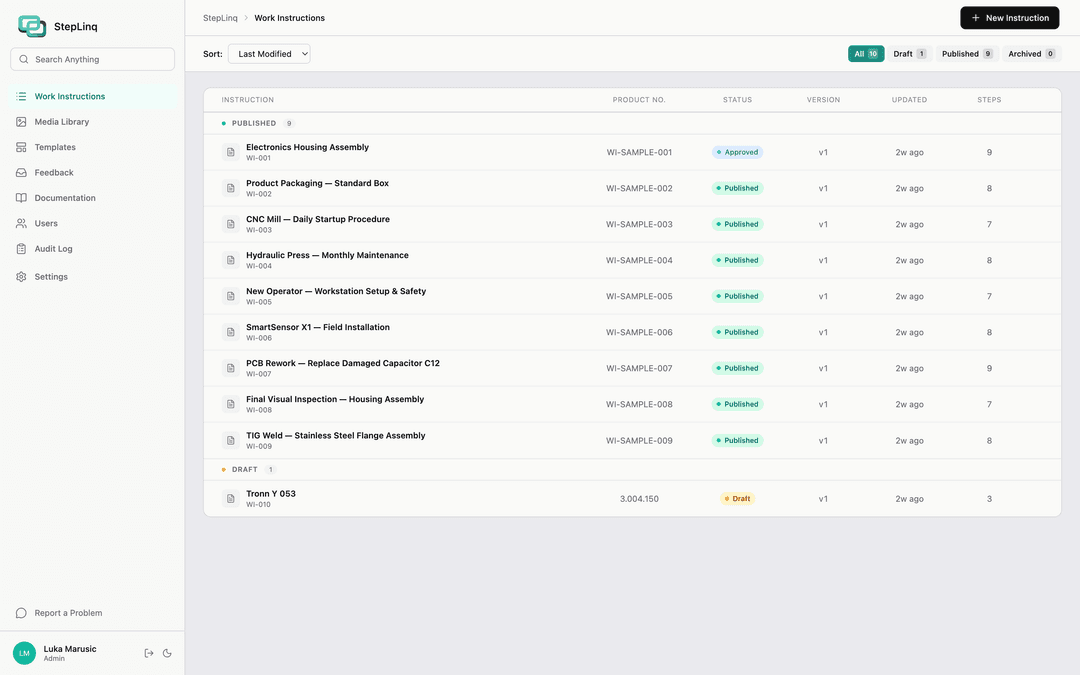
Drag-and-drop interface to build photo-based instructions step by step. Add annotations, warnings, and quality checkpoints.
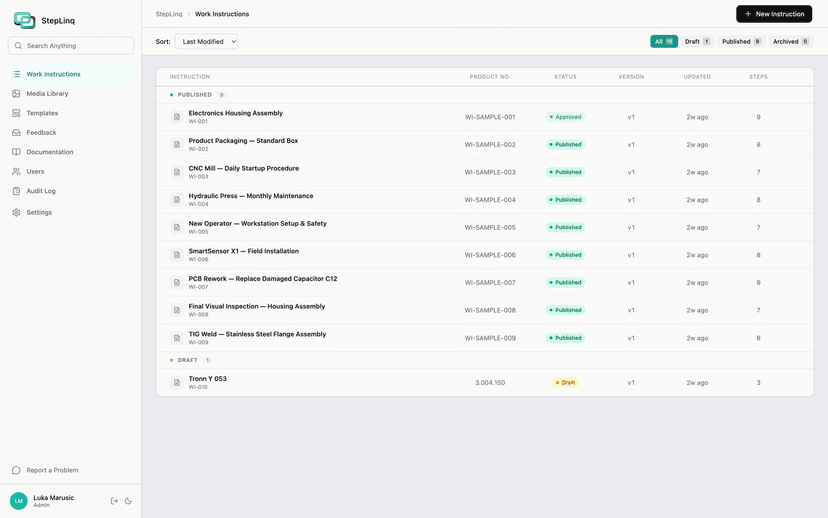
Offline-First
Runs on SQLite locally. No cloud, no internet required. Works on factory floors with no Wi-Fi or restricted networks.
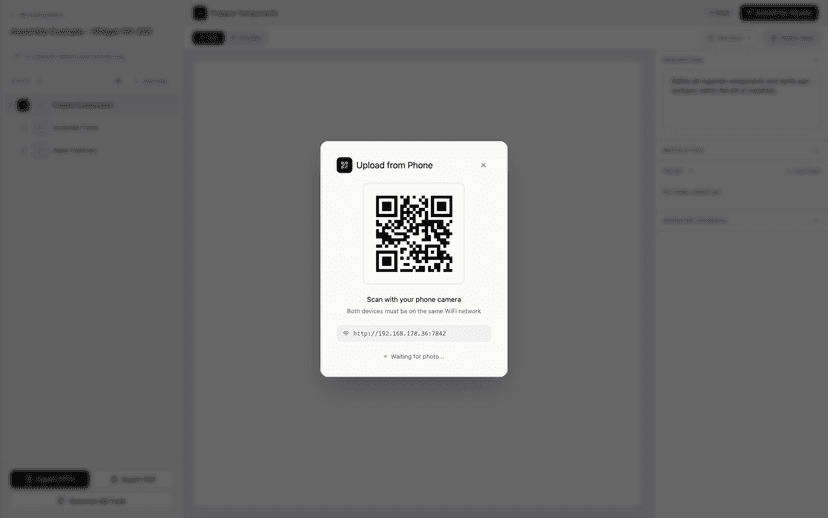
QR Scan Access
QR codes for the floor: print a code per instruction, operators scan to open it in the Viewer. QR for photos: scan from your phone to upload photos directly to the editor over local WiFi.
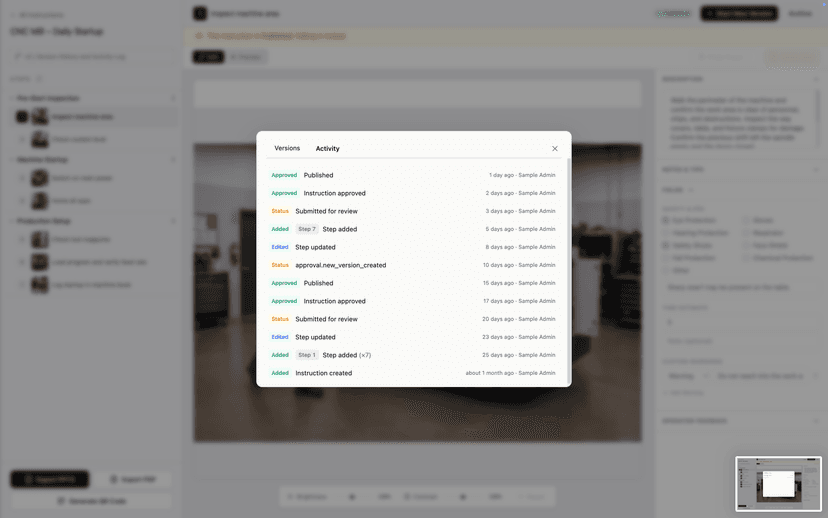
Approval Workflow
Engineers submit drafts. QA reviews, comments, and approves. Approved versions are frozen and auto-published to the floor. Every change is logged.
Up and running in under a day
Create Instruction
Open StepLinq and start a new work instruction. Name the process, assign it to a product or station.
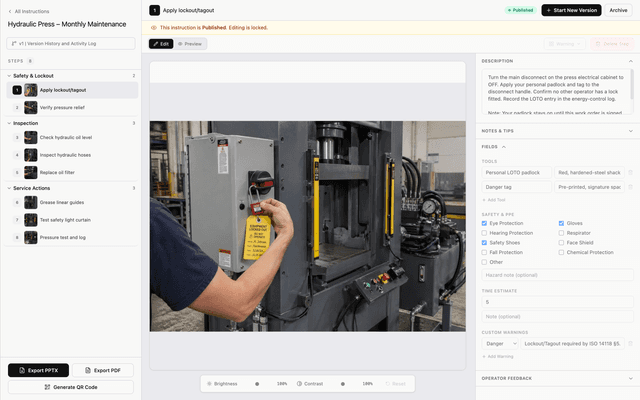
Add Photos
Upload photos for each step. Add text annotations, safety warnings, and required tools or torque specs.
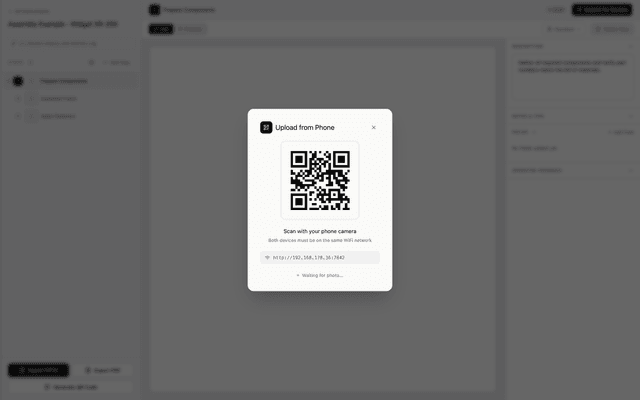
Publish to Floor
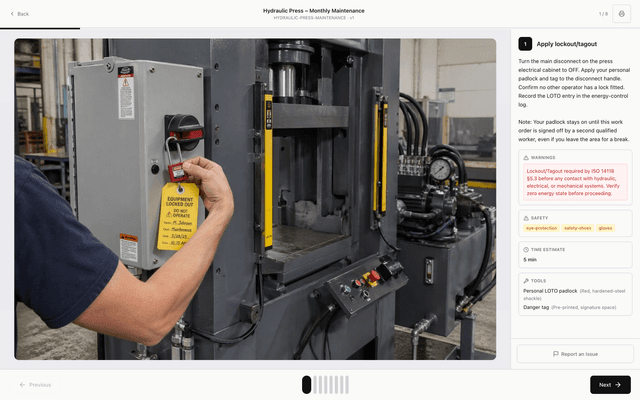
Generate a QR code for any instruction. Place it at the workstation. When operators scan it, the Viewer app opens the correct instruction instantly — no searching, no navigation needed.
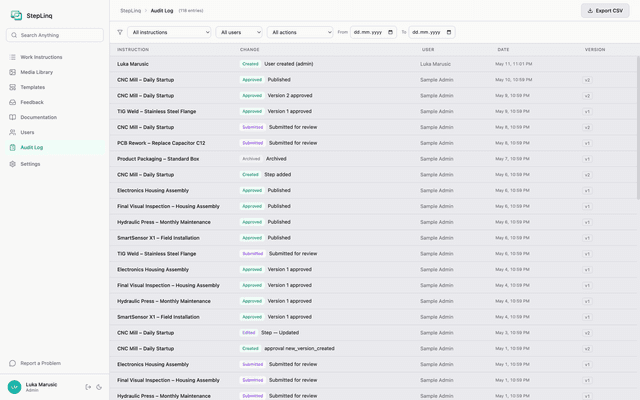
Audit Trail
Every edit, submission, and approval is logged with user, timestamp, and action type. Export the full audit trail as CSV for auditors.
Create Instruction
Open StepLinq and start a new work instruction. Name the process, assign it to a product or station.
Add Photos
Upload photos for each step. Add text annotations, safety warnings, and required tools or torque specs.
Publish to Floor
Generate a QR code for any instruction. Place it at the workstation. When operators scan it, the Viewer app opens the correct instruction instantly — no searching, no navigation needed.
Audit Trail
Every edit, submission, and approval is logged with user, timestamp, and action type. Export the full audit trail as CSV for auditors.
From editor to PDF or PPTX in one click
Approved instructions export to PDF or PPTX for audits, training, and legacy documentation backlogs — with version number, QR code, and all required fields.
- 1.
- 2.
- 3.
Preview mock — to be replaced with real export screenshot
Built for the floor. No internet required.
Editor → Shared folder → Viewer. Solo runs fully offline on one Windows PC. Site uses your local network — no cloud, no telemetry.
Works in factory halls with no Wi-Fi.
Local SQLite or SMB/NFS share.
Editor + Viewer on Windows 10/11.
Zero outbound network connections.
How StepLinq compares
| Feature | StepLinq | Tulip | Dozuki | SwipeGuide | Azumuta | Operations1 |
|---|---|---|---|---|---|---|
| Offline mode | ||||||
| One-time license | ||||||
| Local data ownership | ||||||
| No per-user fees | ||||||
| Photo-based steps | ||||||
| QR access on floor | ||||||
| Setup under 1 day |
Based on publicly available product information as of 2026. Features may have changed.
Ready to document your first process?
StepLinq is coming soon. Join the waitlist to get notified at launch.