From photo to floor-ready instruction in one afternoon
StepLinq is a desktop application that runs entirely on your local network. No cloud, no subscription server, no IT project. Here is exactly how it works — from first install to operator on the floor.
The Standard Workflow
- 01
Install
At launch, install the Windows app. Runs on Windows 10/11 (64-bit). No server. No configuration. Opens in 30 seconds.
- 02
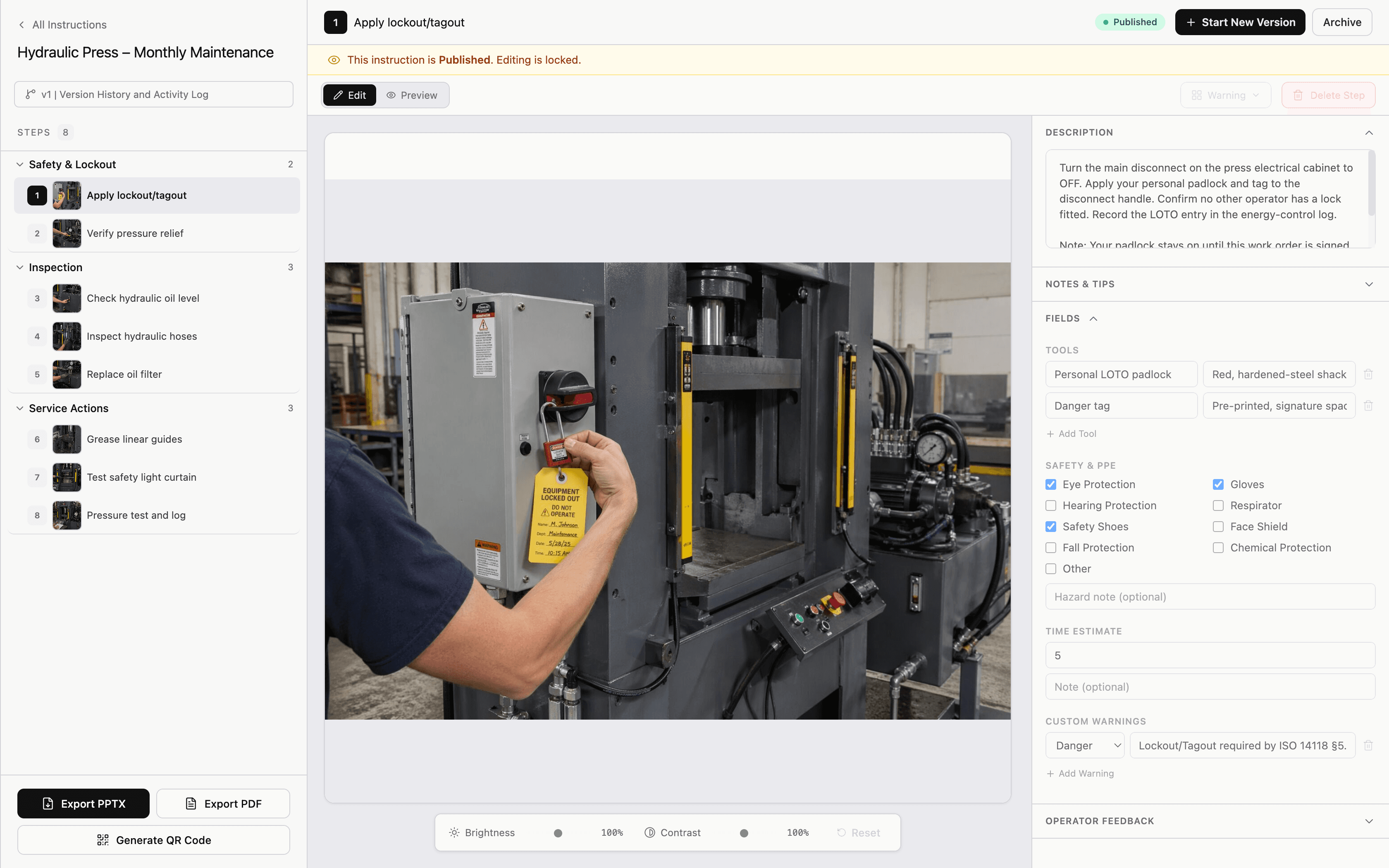
Create Instruction
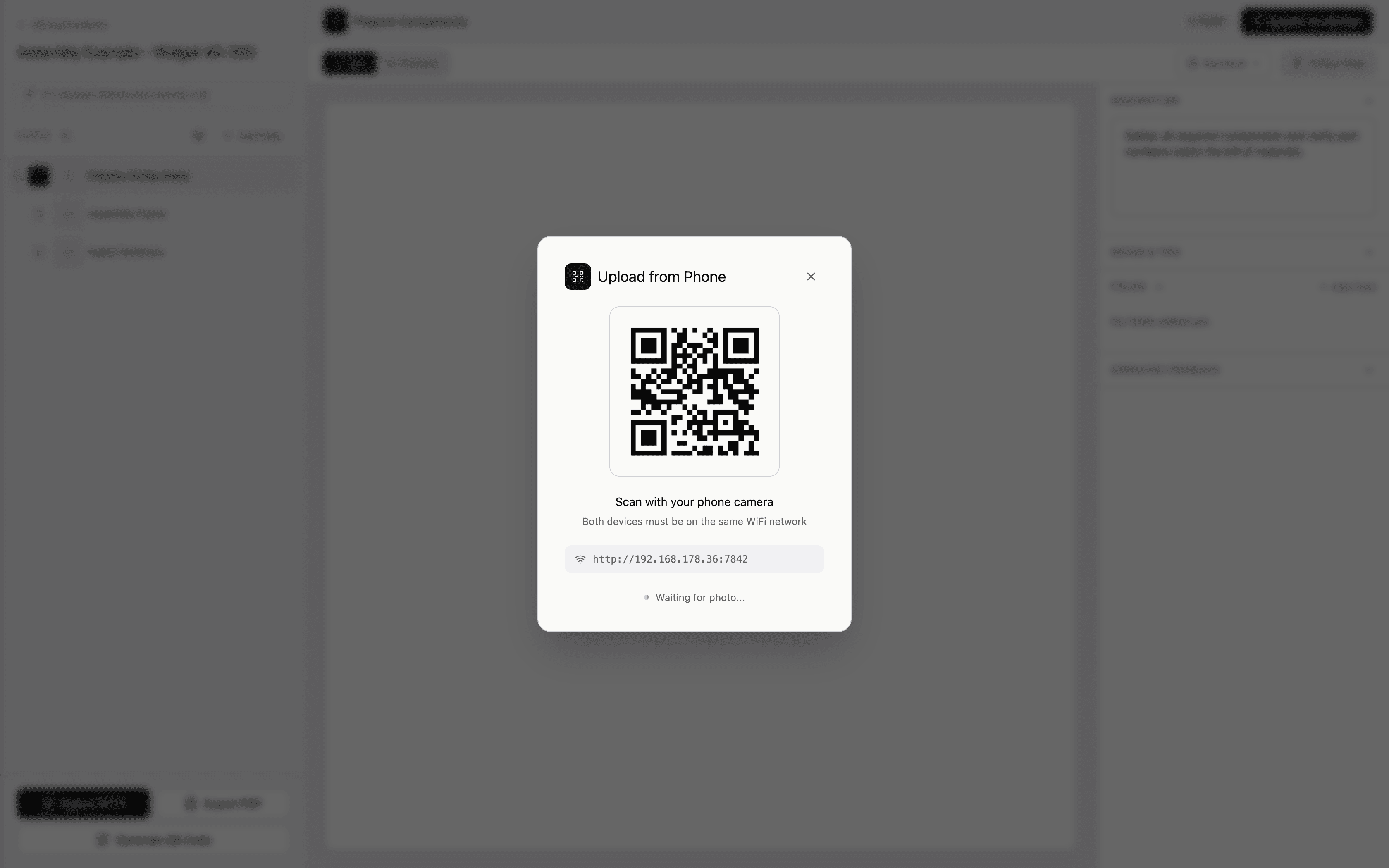
Add title and product code. Add steps one by one. Upload a photo for each step.
- 03
Annotate & Add Fields
Draw arrows, circles, labels on photos. Add torque values, part numbers, safety warnings, tools — per step.
- 04
Review & Approve
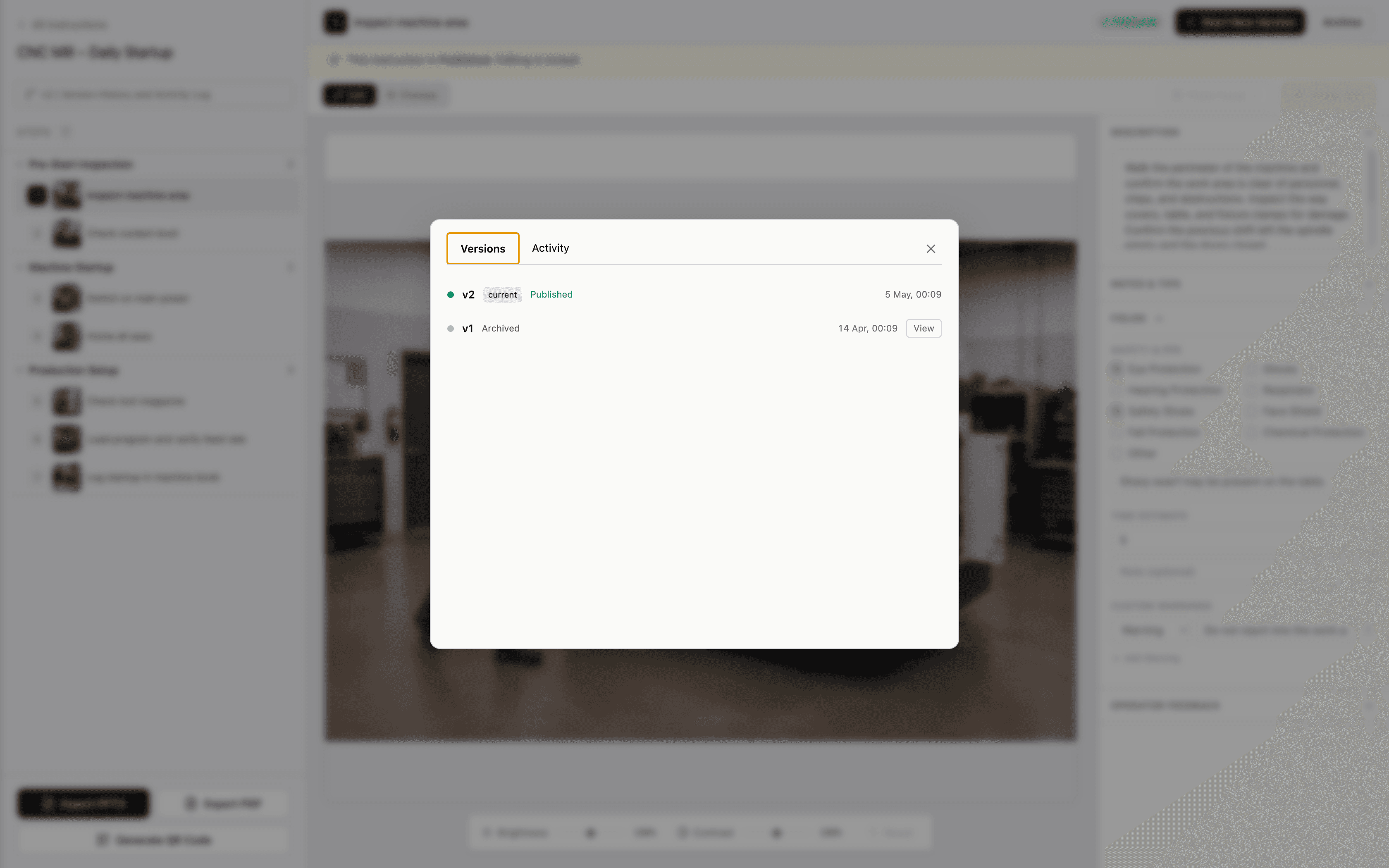
Submit for QA review. QA adds comments. Engineer resolves. QA approves. Instruction is locked.
- 05
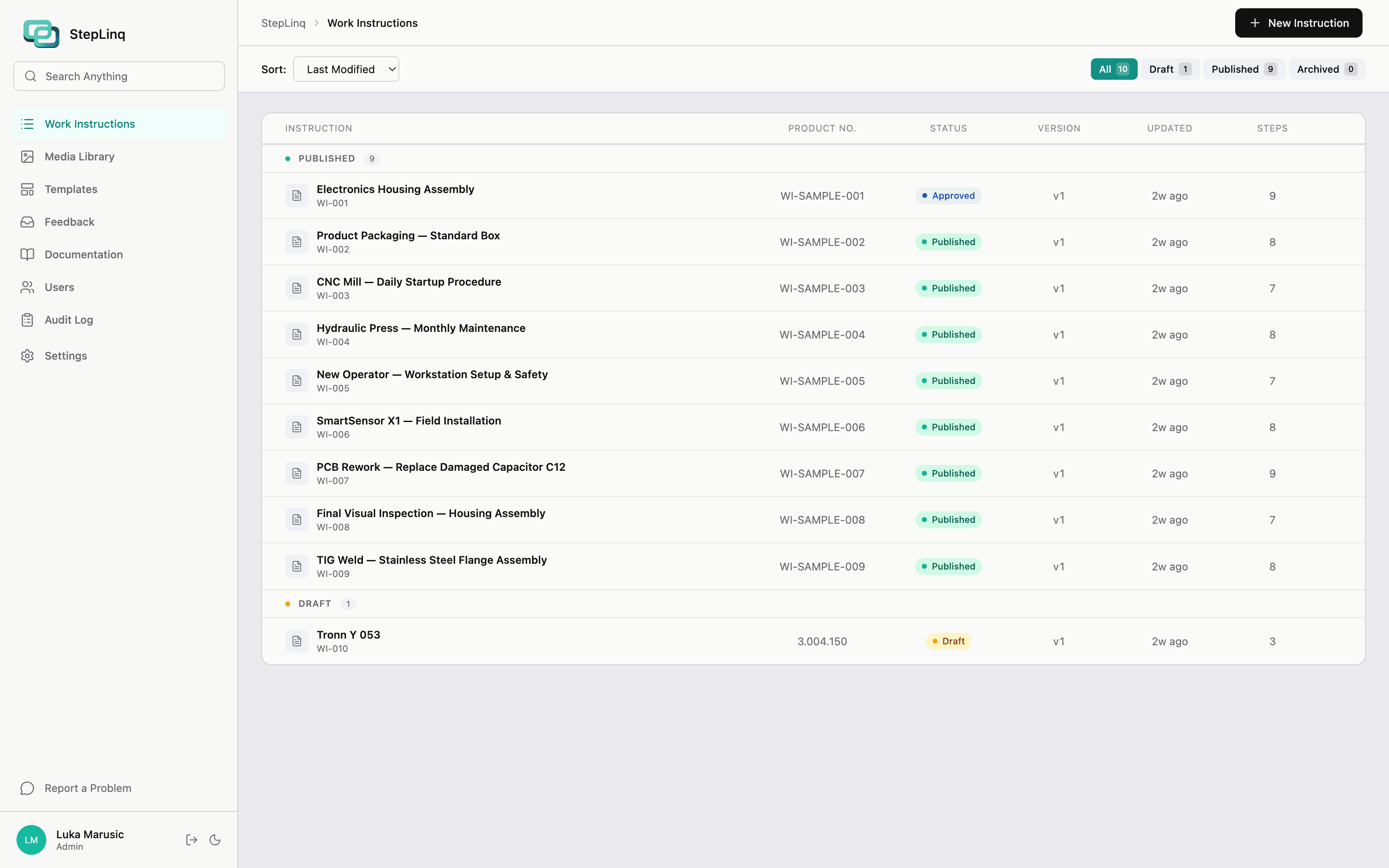
Export or Publish
Export to PPTX or PDF with one click. Or publish to Viewer for floor access.
- 06
Floor Use
Operators scan QR or open Viewer. See only approved instructions. Submit feedback if something is wrong.
Approval Workflow in Detail
Engineer creates instruction
New document started in editor
Engineer submits for review
Document enters QA queue
QA Manager opens review
Document locked for review
Approved
Instruction locked with approval date. Ready for export to PDF or PPTX.
Changes Requested
Returns to engineer with QA comments. After edits, engineer resubmits.
Every state change is logged with actor name, timestamp, and comment.
Solo License users can self-approve.
How the Floor Setup Works
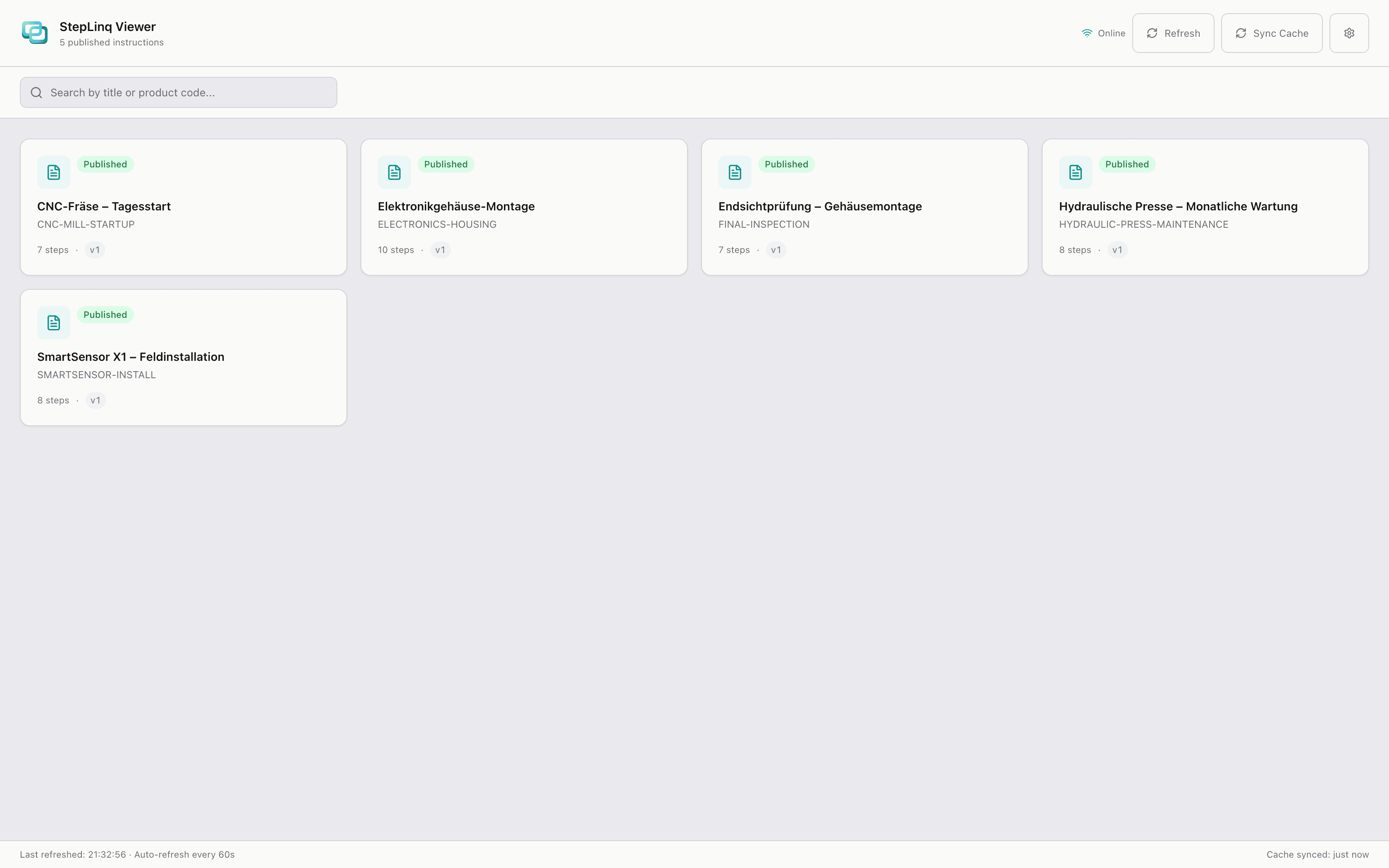
StepLinq connects your office and production floor through a shared folder — no server required.
StepLinq Editor
- Create & Manage Instructions
- Approve & Validate
Central Data Hub
- No server installation
- Unlimited installs
- Automatic sync
StepLinq Viewer
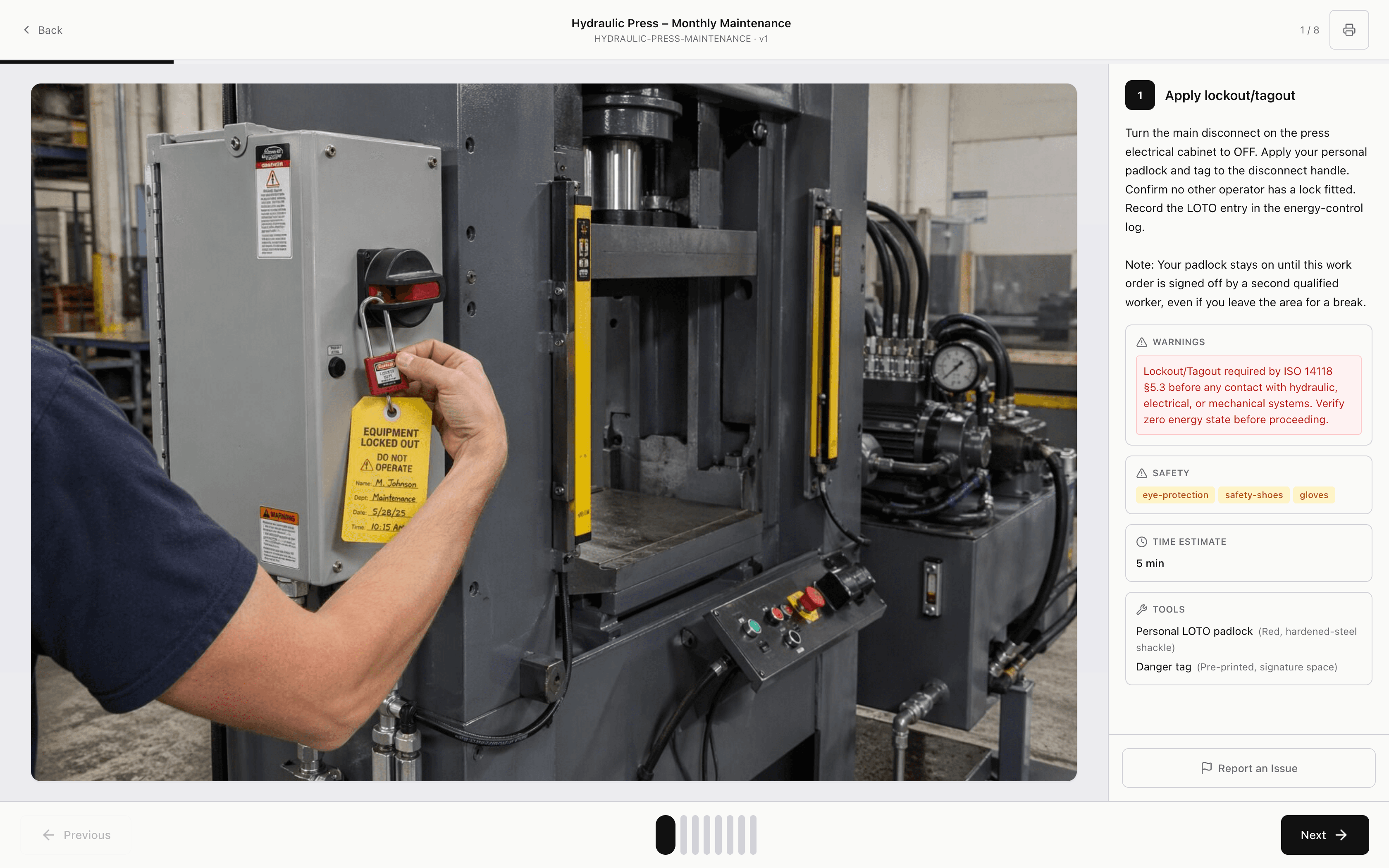
- View on Production Line
- Execute Tasks
No server installation. Point StepLinq at any shared folder on your network. Unlimited installs.
What changes after StepLinq
First instruction
Document your first assembly process in a single afternoon — not weeks of planning.
Onboarding time
New operators follow visual guides from day one instead of shadowing for weeks.
Quality errors
Clear photos and structured fields leave no room for interpretation or guessing.
Audit readiness
Supports ISO 9001:2015 Clause 7.5 document-control practices: version history, approval trails, and one-click PDF export.
Common Questions
What happens when I edit an approved instruction?+
Editing creates a new version automatically. The approved version is frozen and stays accessible. You work on the new draft version while the floor continues using the approved one.
Can operators edit instructions from the Viewer?+
No. The Viewer is completely read-only. Operators can only submit feedback on specific steps.
What if the network share goes down?+
The Viewer works from local cache and shows the last synced instructions. The sync status is displayed with a timestamp.
Do I need a server for the network share?+
No. Any shared folder on your existing file server or NAS works. SMB or NFS. StepLinq handles concurrent access internally via SQLite WAL mode.
Can I use StepLinq offline completely — no network at all?+
Yes. Solo License works 100% offline on a single machine with no network required at all. Site License requires a local network share but no internet.
How does the 30-day trial work?+
Download and install. All features unlocked for 30 days, no credit card required. After the trial, purchase a license key and activate it in Settings.
From first instruction to floor in an afternoon.
30-day free trial. Full Site features. Runs offline. No credit card.